
A live camera wall with an agent that can operate it.
Agentic Cam-Wall turns a small PC and a display into a live security-camera wall: tiled layouts, named views, rotation, single-camera mode, and kiosk operation. What makes it different is Grace, the agentic operator on the appliance. Grace understands what you want, operates the wall, configures the system, and drives connected surveillance systems. A regular camera wall is passive. This one can act.
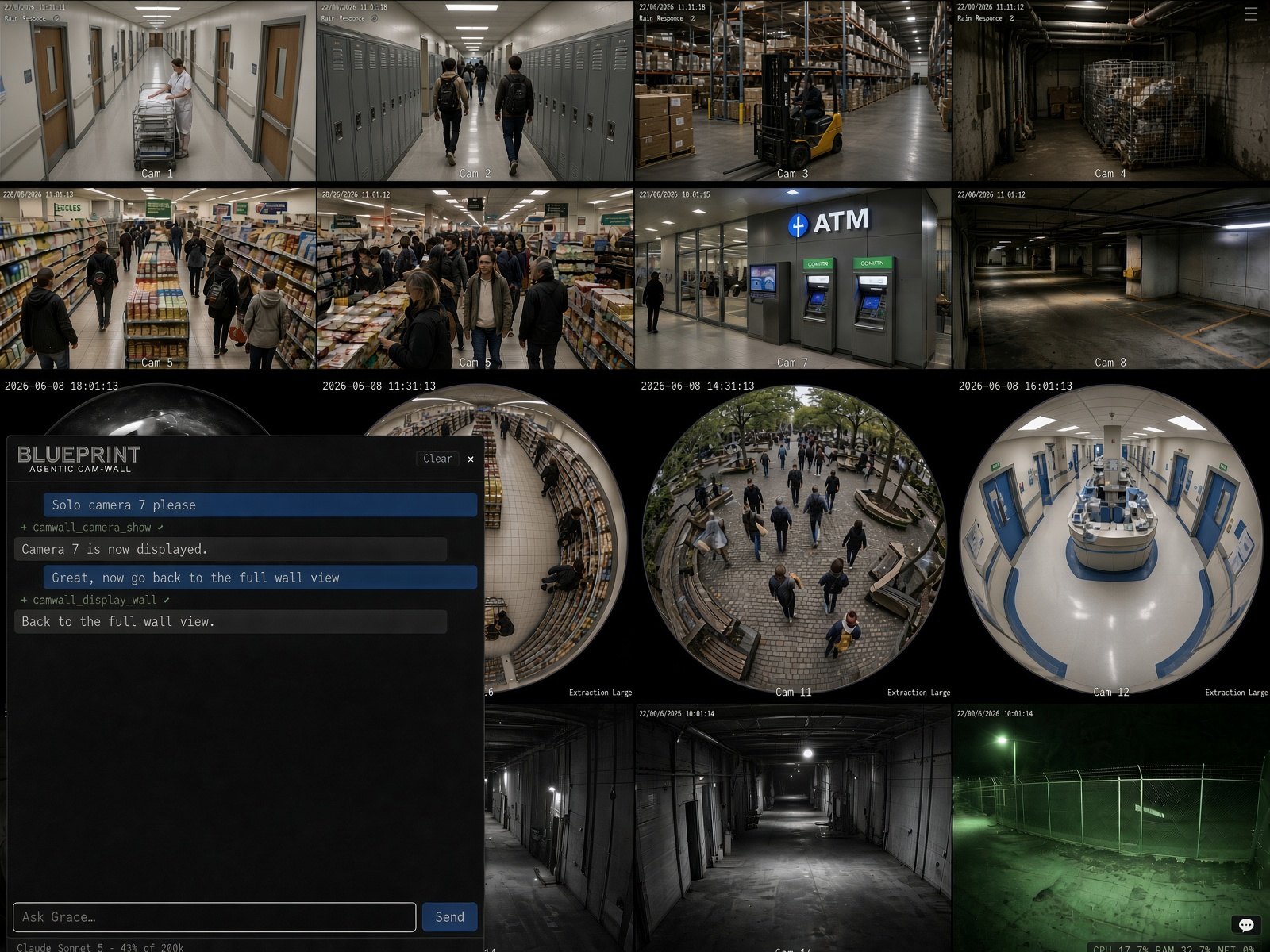
Ask for the outcome and Grace handles the steps. “Solo camera 7.” “Back to the full wall.” “Pull up the loading dock from this morning.” The request can be typed, spoken, or sent by another agent. Grace interprets it, uses the tools available on the appliance, and operates the wall or connected systems on your behalf.
The principle is simple: if a person can do it through the wall or the NVR web interface, Grace can help do it too.
Three layers: the live wall, Grace, and a browser Grace can operate.
Up to 64 live streams in tiled views, with named views, timed rotation, zoom, and single-camera mode. Information bands you author in markdown render as top and bottom overlays, so the display can carry context as well as video.
Grace turns requests into actions using the same capabilities available through the wall interface. Site notes and durable memories let Grace understand the installation over time, so it can operate in the context of the actual place it is watching.
The appliance includes a visible browser Grace can operate. Bring up your web-based NVR and have Grace search, navigate, review, and display footage through the same screens a person would use. You do not need to replace the NVR to make those workflows agentic.
Voice is one way to engage Grace from the room where the wall lives: say the wake phrase (“wake up Grace”) to enter Conversation Mode. It is not the only path. You can also use the GUI, keyboard chat, or connect an outside agent system through MCP, so a stronger agent like Claude can use Agentic Cam-Wall as a surveillance workstation.
Grace can use a local model, a cloud model, or your own model server. Keep it lightweight for basic appliance control, or connect a stronger model for richer surveillance workflows. External agent systems can also operate Agentic Cam-Wall through MCP.
Designed to run as a dedicated camera-wall appliance.
Agentic Cam-Wall is a local appliance. Remote access is off unless the operator turns it on. The wall UI can be protected with a configuration password, and sensitive actions require an admin PIN.
Camera credentials, NVR credentials, API keys, PINs, and WiFi passwords are handled separately from chat, model prompts, logs, and saved chat records. No user account is identified inside the product, and ambient audio is not retained.
Agentic Cam-Wall is not an NVR. It does not record footage, manage retention, or run analytics. It displays live streams and, through Grace, operates your own NVR’s web interface for those functions. It is designed for your network, your cameras, and your choice of local or cloud model.
Agentic Cam-Wall is MIT-licensed and open source, released at v0.2.1. Install it on a small PC connected to a display; first boot brings up the wall.
