A live camera wall your agent can operate.
MCP Video Wall turns a small PC and a display into a live security-camera wall: tiled layouts, named views, rotation, single-camera mode, and kiosk operation. The difference is that every one of those functions is also an MCP tool. Point your own agent — Claude Code, or any agent that speaks MCP — at the wall, and it can show cameras, change layouts, configure the appliance, and operate your NVR for you. A regular camera wall is passive. This one can be operated by your agent.
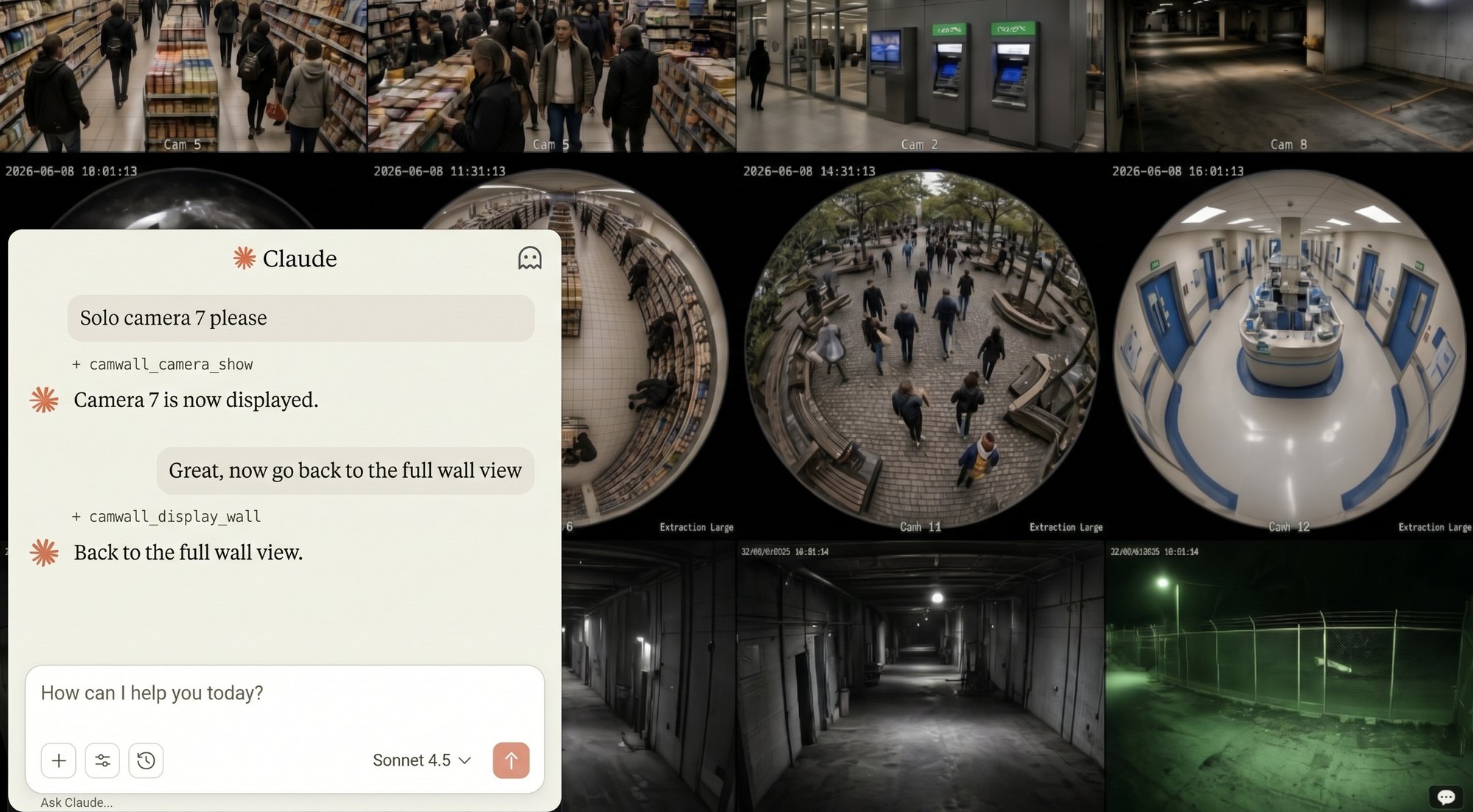
*Claude is not part of MCP Video Wall — it’s an amazing product from Anthropic that we like to work with. Claude runs on your own machine and operates the wall over MCP. The Claude interface in this image is generated for demonstration purposes only.
Ask your agent for the outcome and it handles the steps. “Show the loading dock.” “Switch to the 3x3 view.” “Find the clip of the delivery truck this morning.” The agent calls the wall’s tools, and screenshots come back as real images, so it sees what it is acting on.
The principle is simple: if a person can do it with a mouse and keyboard, your agent can do it over MCP. The wall runs no AI model of its own — the agent is yours. That keeps the appliance small and predictable, and lets you use whatever agent and model you already trust.
The live wall, a full set of agent tools, a browser your agent can drive, and the appliance itself.
Up to 16 live streams in tiled views, with named views, timed rotation, zoom, and single-camera mode. Information bands you author in markdown render as top and bottom overlays, so the display can carry context as well as video. A stalled stream is detected and restarted automatically.
Cameras, views, display modes, rotation, discovery, configuration, system settings, uploads, backup and restore, screenshots, and the browser — all available to your agent over MCP. Anything you can do in the wall’s interface, your agent can do too.
The appliance includes a visible browser your agent can operate. Bring up your web-based NVR and have the agent search, navigate, review, and display footage through the same screens a person would use. NVRs are easier to operate when an agent does it.
Hostname, time, network and WiFi, display power schedule, uploads, and backup — from the GUI or by your agent. The appliance applies each setting itself and shows whether it took, and a network change that would take the wall off the network is undone automatically.
Point any MCP-capable agent on your network at https://<wall>/mcp — Claude Code, any MCP agent framework, or the Claude desktop app through a local connector. If you set the wall’s optional password, the agent presents it as its access token. The MCP endpoint is always on; it is how the wall is meant to be operated.
Because the wall lives on your local network, cloud-hosted chat products that call connectors from their own servers, such as claude.ai on the web, can’t reach it.
Designed to run as a dedicated camera-wall appliance.
MCP Video Wall is not an NVR. It does not record footage, manage retention, or run analytics. It displays live streams and, through your agent, operates your own NVR’s web interface for those functions. It runs no AI model of its own and has no built-in assistant, chat, or voice control — the intelligence is your agent.
BlueprintAgentic builds and sells MCP Video Wall as a ready-to-run appliance — a Dell OptiPlex Micro PC, configured and ready to power on. Start a conversation.
